Performance Metrics (Beta): attendance metrics on the Dashboard
On this page
Quick answer
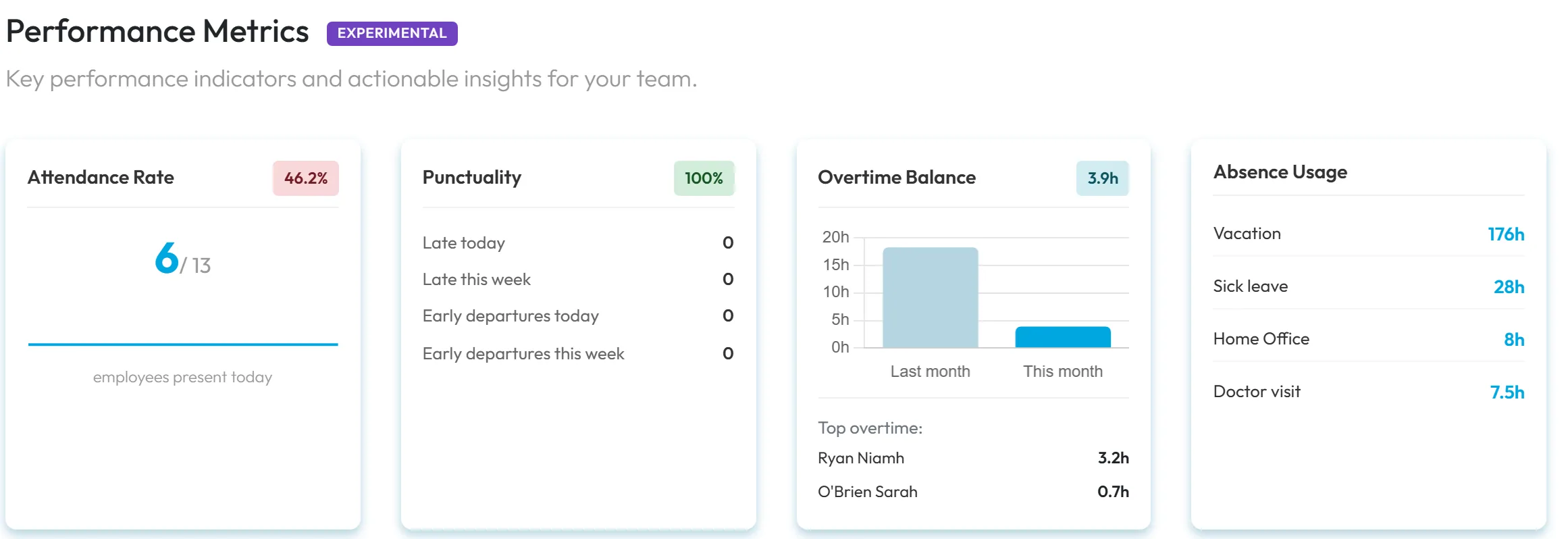
Attendance metrics are in the Performance Metrics section of the FreshQR Dashboard, marked Experimental (Beta). Cards show today’s attendance rate, punctuality, overtime this month against last month, leave usage, breaks, GPS compliance and hours per branch. Read them as a monthly health check, then open the reports for detail.
#What it's good for
- A health check of the month without opening a single table.
- Late arrivals and early departures of today and this week in one card.
- Who is building up the most overtime, compared with last month.
- How many scans happened within your distance limit from the site.
#Who it's for
A good fit for
- Owners of teams with fixed start times who want a quick look each morning or each week.
- Companies that already set a far-scan distance in the e-mail notifications.
Not the right fit for
- Teams without fixed start times: punctuality and missing check-ins need a planned start, so those cards stay at zero.
- Anyone who needs exact figures for pay. Use Table Reports and the monthly report.
#Step by step
-
Scroll to Performance Metrics.
Open the Dashboard and scroll below the map. The section Performance Metrics carries the badge Experimental and the line
Key performance indicators and actionable insights for your team.
It is a Beta: cards and numbers may still change.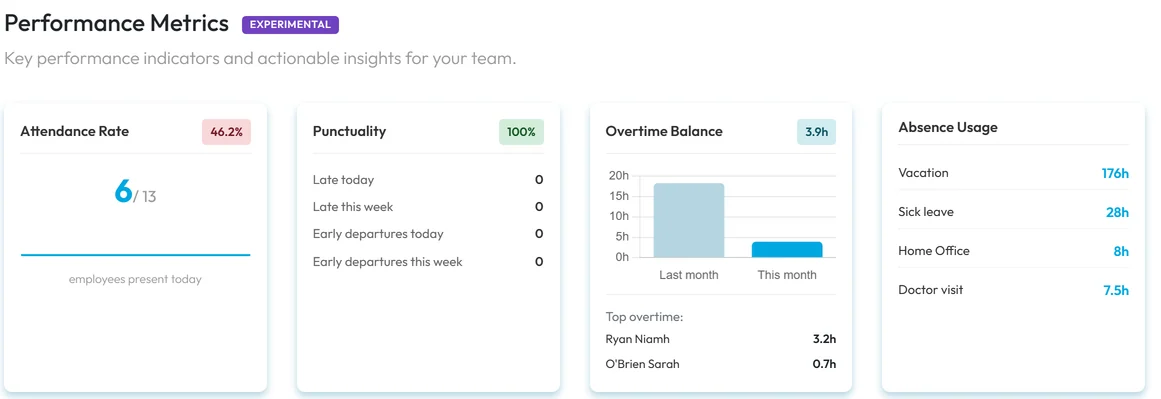
Metrics are still in Beta -
Read attendance and punctuality.
Attendance Rate counts the employees present today out of all employees. Punctuality lists Late today, Late this week, Early departures today and Early departures this week. Lateness can only be measured against a planned start, from a work schedule with start and end times or from a published shift – see Work Schedules. Missing Check-ins lists people who should have started by now and haven’t scanned; when everyone has, it says
All employees checked in
. -
Watch the overtime balance.
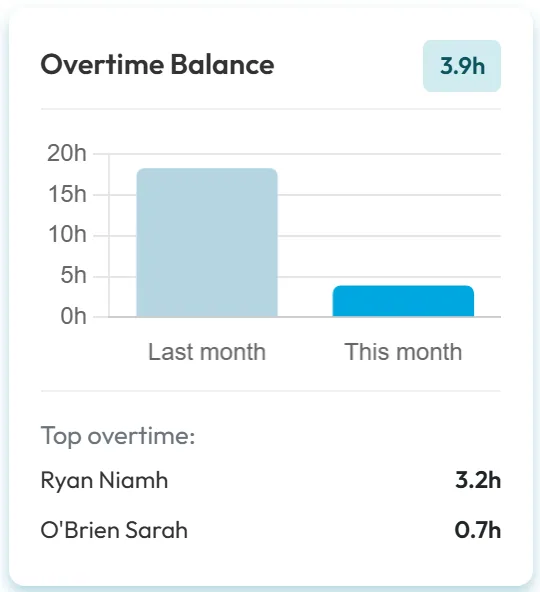
Overtime Balance compares last month with this month and names the employees with the most overtime under Top overtime. Negative overtime is drawn as a bar too; check the axis labels to tell a shortfall from extra hours. How overtime is counted is explained in Overtime.
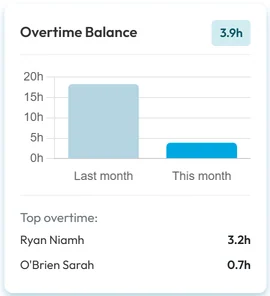
Overtime this month against last month -
Check GPS compliance.
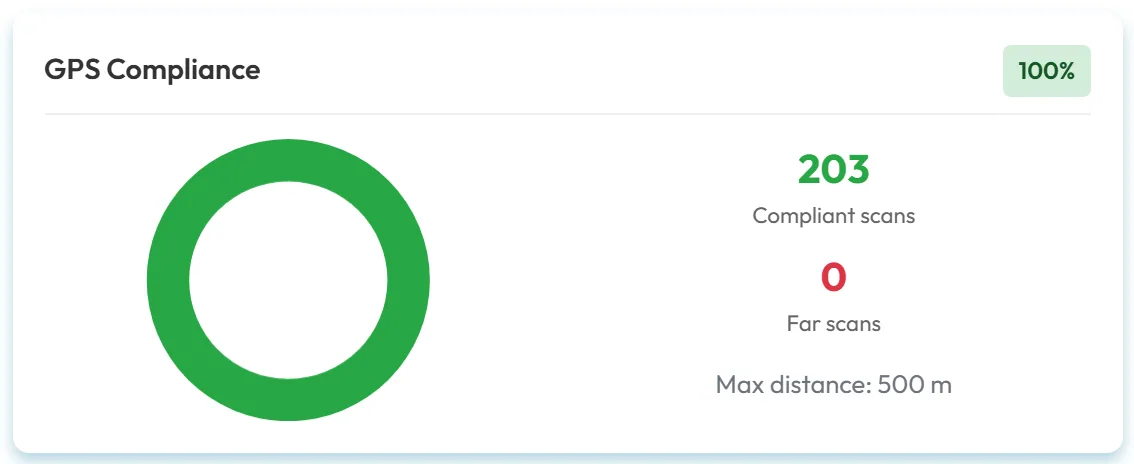
GPS Compliance splits the scans into compliant scans and Far scans, measured against the distance you set for the e-mail rule Far GPS scan detected – shown on the card as Max distance, for example 500 m. Far scans are listed by name and date in Farthest GPS scans.
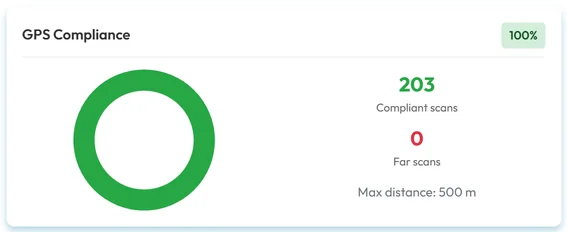
Scans within the distance limit -
Compare branches and look at leave.
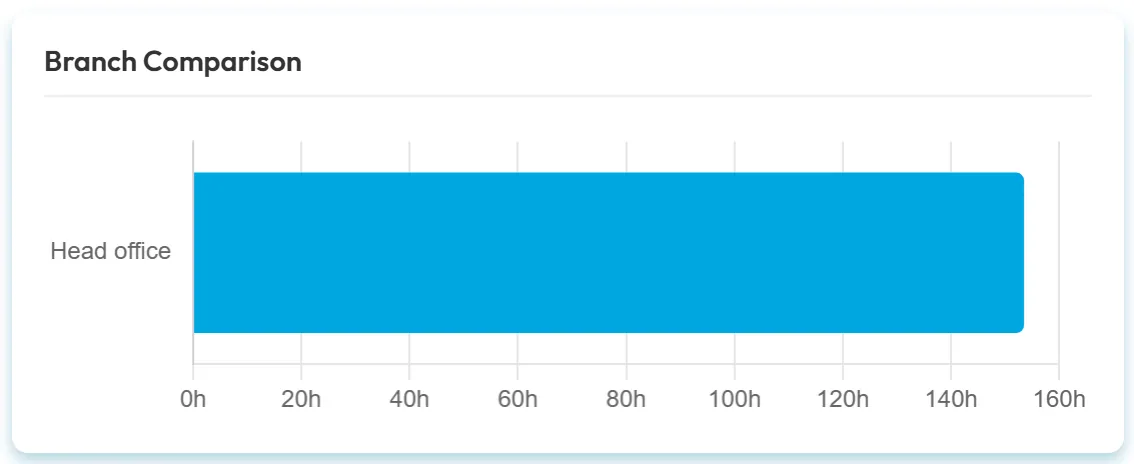
Branch Comparison draws the hours per branch side by side. Absence Usage sums the hours of each absence type, such as vacation, sick leave and home office. Weekly Patterns, Project Allocation and Hours by Branch & Project show how work spreads over weekdays, projects and locations. Pending Absence Requests lists requests waiting for you – see Approving leave requests.
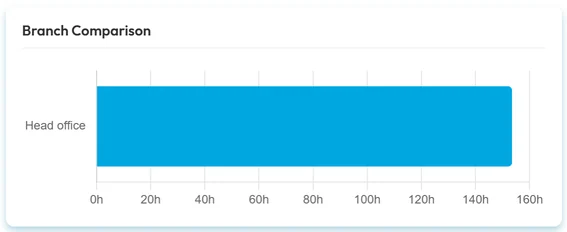
Hours per branch
#Where to find the detail
- Overtime per employeeThe employee’s Overtime tab shows the monthly and cumulative balance – see Overtime.
- Hours per branchExact hours and costs per branch are in Branch reports.
- BreaksEvery break with its times is in the Breaks report.
#Special cases and tips
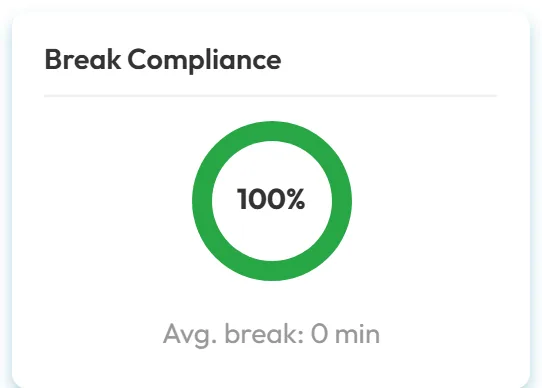
- Break Compliance shows 100 % and 0 min
- The card counts only days on which the schedule granted an automatic break, so with flexible breaks it can show 100 % and 0 minutes even when everyone takes lunch. The Breaks tab in Table Reports shows the actual breaks.
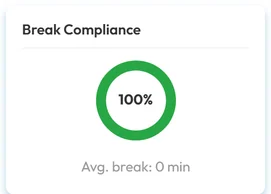
Nothing to measure: 100 % and 0 min - Nobody is ever late
- Your schedules have only a length (for example 8 hours a day) and no start time. Add start and end times, or plan shifts, and punctuality starts to count.
- Overtime shows 0 h
- Overtime may be waiting for approval, or you count overtime per month and the month’s hours aren’t used up yet – see Overtime.
- Branch and Project Managers
- They see fewer cards, filtered to their own branches or projects.
#Frequently asked questions
Does Performance Metrics rate individual employees?
No. It shows counts and totals. Written feedback on people is a separate feature – see Evaluations.
Can I change the period of the cards?
Most cards cover today, this week or this month, as their labels say.
Why is it marked Experimental?
It is a Beta. Some cards depend on how your schedules and breaks are set and may change. Feedback is welcome at info@freshqr.online.
Where does the 500 m in GPS Compliance come from?
From the distance you set in My Company › Notifications for the rule Far GPS scan detected.
#Related
You are herePerformance Metrics (Beta)
Web app (administrator)Mobile app (employee)