FreshQR credits and invoices: how paying works
On this page
Quick answer
FreshQR credits and invoices work simply: 1 credit covers 1 active employee for 1 month. Buy credits in My Company › Invoices for a month or a year ahead; FreshQR deducts them automatically each month. Your invoice arrives by e-mail and is also behind the Invoices button. Current prices are on the pricing page.
#What it's good for
- We only bill employees who worked at least 40 hours in the month. A part-timer with a few hours doesn’t count.
- No subscription and no automatic card charge: you decide when to top up.
- The tab shows how long your credits last for the current number of employees.
#Who it's for
A good fit for
- Owners and administrators who look after billing.
- Companies with part-timers or seasonal staff, where the number of active employees changes from month to month.
Not the right fit for
- Employees. They never pay anything; the employee app is free.
- Questions about prices. They are on the pricing page.
#How credits work
- 1 credit = 1 active employee for 1 month. That is how the note on the Invoices tab puts it. We only bill employees who worked at least 40 hours in the month.
- Deduction is automatic. Each month you use as many credits as there were active employees. A month’s credits are deducted on the 5th day after it ends – October’s on 5 November. The note on the Invoices tab puts it as
Credit deduction takes place on the 5th day of each month.
- Credits don’t expire. Whatever you don’t use stays on your balance for the following months.
- The trial comes first. A new company starts with a 30-day trial; credits are needed after that – see How the 30-day free trial works, which also explains what is restricted when there are no credits.
- No automatic card payment. FreshQR never charges your card by itself; you buy credits when you choose to.
Example: Brightway has 14 people in the app. In October, 12 of them worked at least 40 hours; two part-timers worked less. October uses 12 credits.
#Step by step
-
Fill in the billing details first.
Credits can be bought once your company’s billing information is complete – name, address and country, plus tax numbers where you have them. Until then the Invoices tab asks you to fill it in. See Company billing details.
-
Open the Invoices tab.
Go to My Company › Invoices. The tab is visible to the Owner, Administrators and Company Settings: View & Edit. A note next to the tab name tells you whether anything is unpaid, or great, everything is paid.
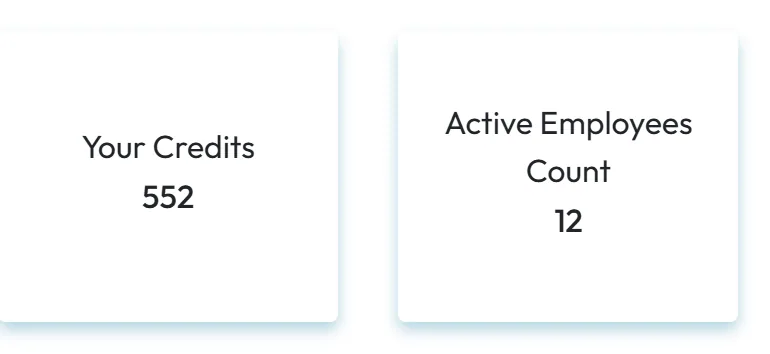
At the top you see Your Credits – your balance – and Active Employees Count.
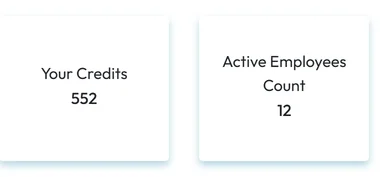
Your credit balance and active employees -
Check how long your credits last.
With enough credits, a green bar says, for example, “Service is active until 31/08/2030 for 12 employees.” The date moves if the number of active employees changes.

The date is recalculated when the number of employees changes -
Buy credits for a month or a year.
Choose Buy credits for 1 month or Buy credits for 1 year. Each card is filled in with your current number of employees in expected employees count; change it if you expect more or fewer people. Show on timeline shows which months the purchase covers. Click Buy and pay by card on the secure Stripe payment page.
-
Get the invoice.
After the payment FreshQR says “Thank you for your payment. You can find your invoice in email.” and the new credits appear in Your Credits. All invoices and receipts are also behind the Invoices button on the tab, which opens the Stripe customer portal in a new browser tab.
-
See what each month used.
Click Credit usage history on the Invoices tab for an overview of your credit purchases and monthly deductions.

#Special cases and tips
- The trial is ending
- During the trial a bar at the top says
You have trial until …
with the end date. To keep using FreshQR after that date, buy credits. - Credits have run out
- A red bar at the top says
You have no credits left. Please buy more credits.
Parts of the web app, such as the Dashboard, Table Reports and Absences, are locked. Settings, including My Company › Invoices, keep working, so you can buy credits straight away. Your employees keep scanning in the mobile app in the meantime, and their attendance is recorded. No data is deleted, and the locked parts open again after the purchase. Details are in How the 30-day free trial works. - You paid, but no credits appeared
- Contact FreshQR support at info@freshqr.online or on WhatsApp with the payment date.
- Extra services
- Shift planning and Todos are switched on in Extra services. Their current terms are on the pricing page.
#Frequently asked questions
What does 1 credit buy?
One active employee for one month. We only bill employees who worked at least 40 hours in the month.
Do I have to buy credits every month?
No. You can buy credits for a whole year, and FreshQR deducts as many each month as you had active employees.
Do unused credits expire?
No. Credits have no expiry date, and FreshQR only deducts what you actually used in a month.
Where do I find the invoice?
In the e-mail you get after each payment, and behind the Invoices button on the Invoices tab.
Do employees pay anything?
No. The employee app is free, and employees never see billing.
Who can buy credits?
The Owner, Administrators and accounts with Company Settings: View & Edit.
Where are the prices?
On the FreshQR pricing page, together with the current conditions for monthly and yearly purchases.
#Related
You are hereCredits and invoices
Web app (administrator)Mobile app (employee)