Employee hourly rate and fixed monthly salary in FreshQR
On this page
Quick answer
Set an employee hourly rate in Employees › employee › Salary › New salary: choose Hourly rate or Fixed monthly salary, enter the amount and the Valid from date. Reports then multiply worked hours by the rate valid on each day and show the result as Expenses without bonuses.
#What it's good for
- Labour cost per employee, branch and project for the month, without a separate spreadsheet.
- Pay rises take effect from the date you choose; earlier months keep the old rate.
- A full history of each person’s pay with the dates it applied.
- Employees can see their month’s amount in the app if you allow it.
#Who it's for
A good fit for
- Companies paying staff by the hour, such as cleaners, kitchen staff or temporary workers.
- Owners who want to know what each site or branch costs in wages.
Not the right fit for
- Companies that only track attendance and don’t need costs can leave the Salary tab empty.
- FreshQR is not a payroll program. Reports show hours × rate (or the fixed salary); net pay, tax and deductions are worked out in your payroll software.
#Step by step
-
Open the employee’s Salary tab.
Go to Employees, open the person and click Salary (
Manage salary history with valid date ranges
). The section Base salary lists all pay records. If there is none yet, it saysNo salary set
. -
Add a pay record.
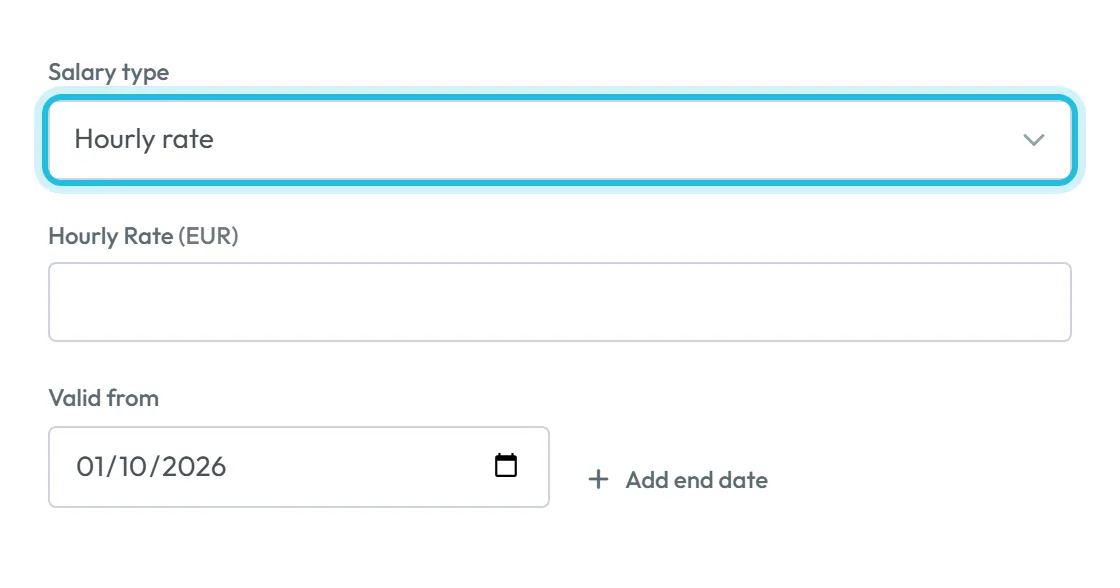
Click New salary. Choose the Salary type: Hourly rate or Fixed monthly salary. Enter the amount, for example 14.80 EUR per hour, and the Valid from date. Leave the end open for an ongoing rate, or use Add end date. Save.
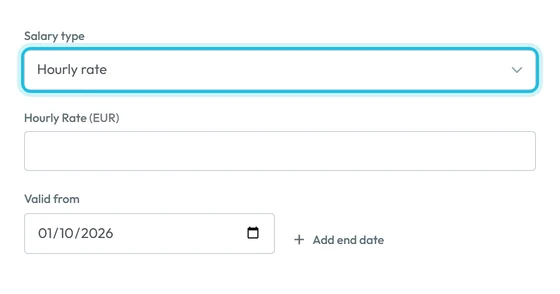
Hourly rate or fixed monthly salary -
Give a pay rise from a date.
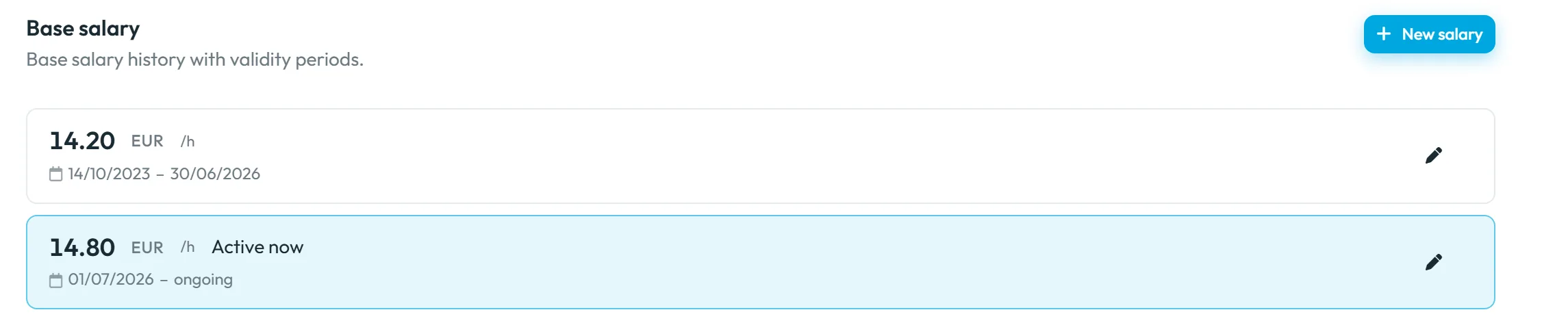
Example: cleaner Mary Walsh earned 14.20 EUR per hour until the end of June 2026 and 14.80 EUR from 1 July. Give the old record an end date of 30/06/2026 and add a new one valid from 01/07/2026. The current record is marked Active now; the old one stays in the history with its dates. Periods can’t overlap – the app warns
Valid period must not overlap with another period
.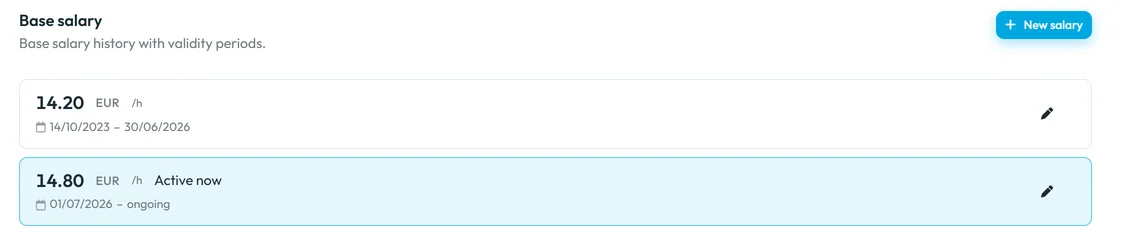
The new rate applies from its date; the old one stays in the history -
Use a fixed monthly salary for salaried staff.
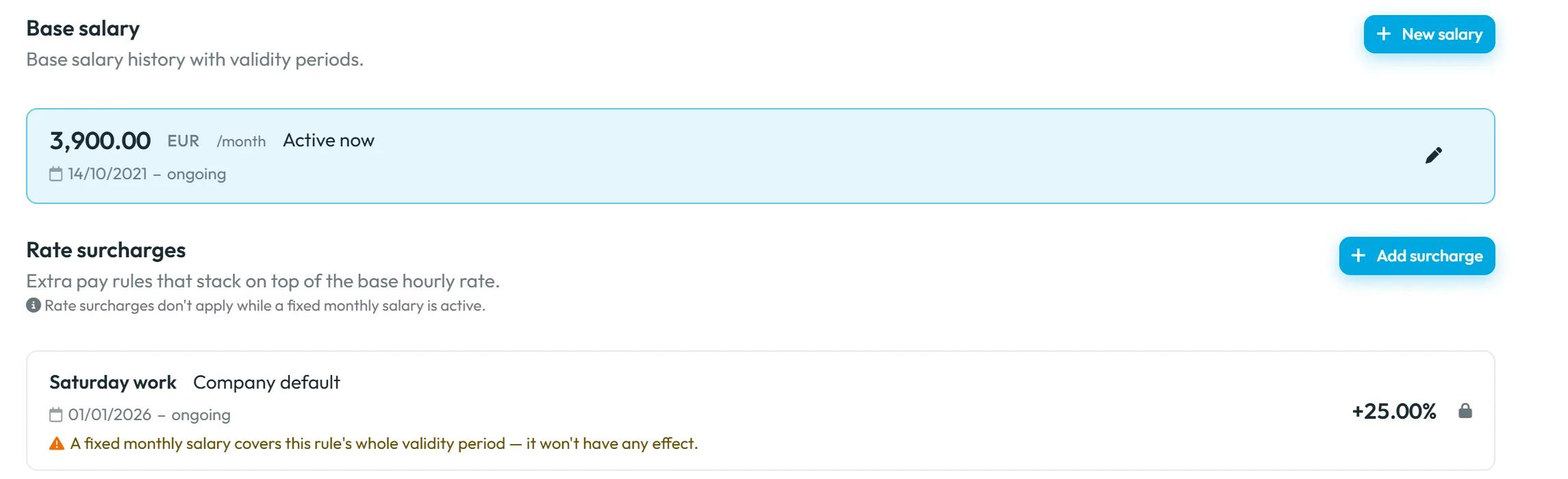
For salaried staff, such as operations manager Sarah O’Brien on 3,900 EUR a month, choose Fixed monthly salary. The cost in reports is then the monthly amount, whatever hours she works; if the salary starts or ends during a month, only the covered part counts. While a fixed salary is active, rate surcharges don’t apply:
Rate surcharges don't apply while a fixed monthly salary is active.
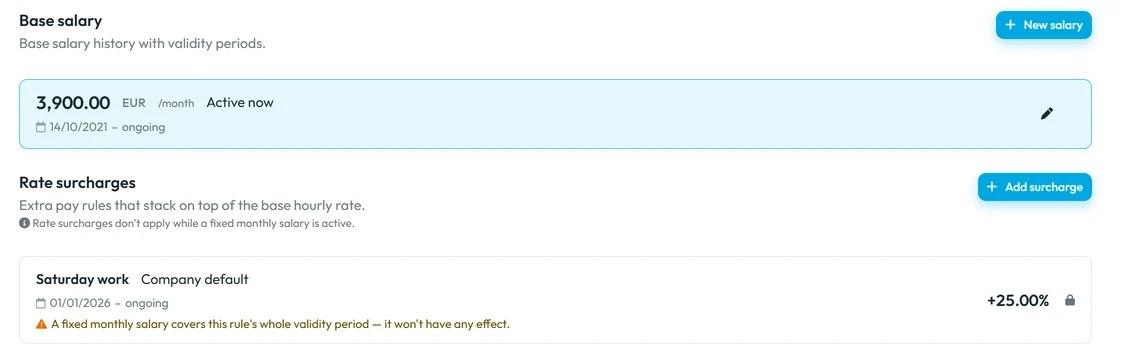
Surcharges do not apply to a fixed salary -
See the costs in reports.
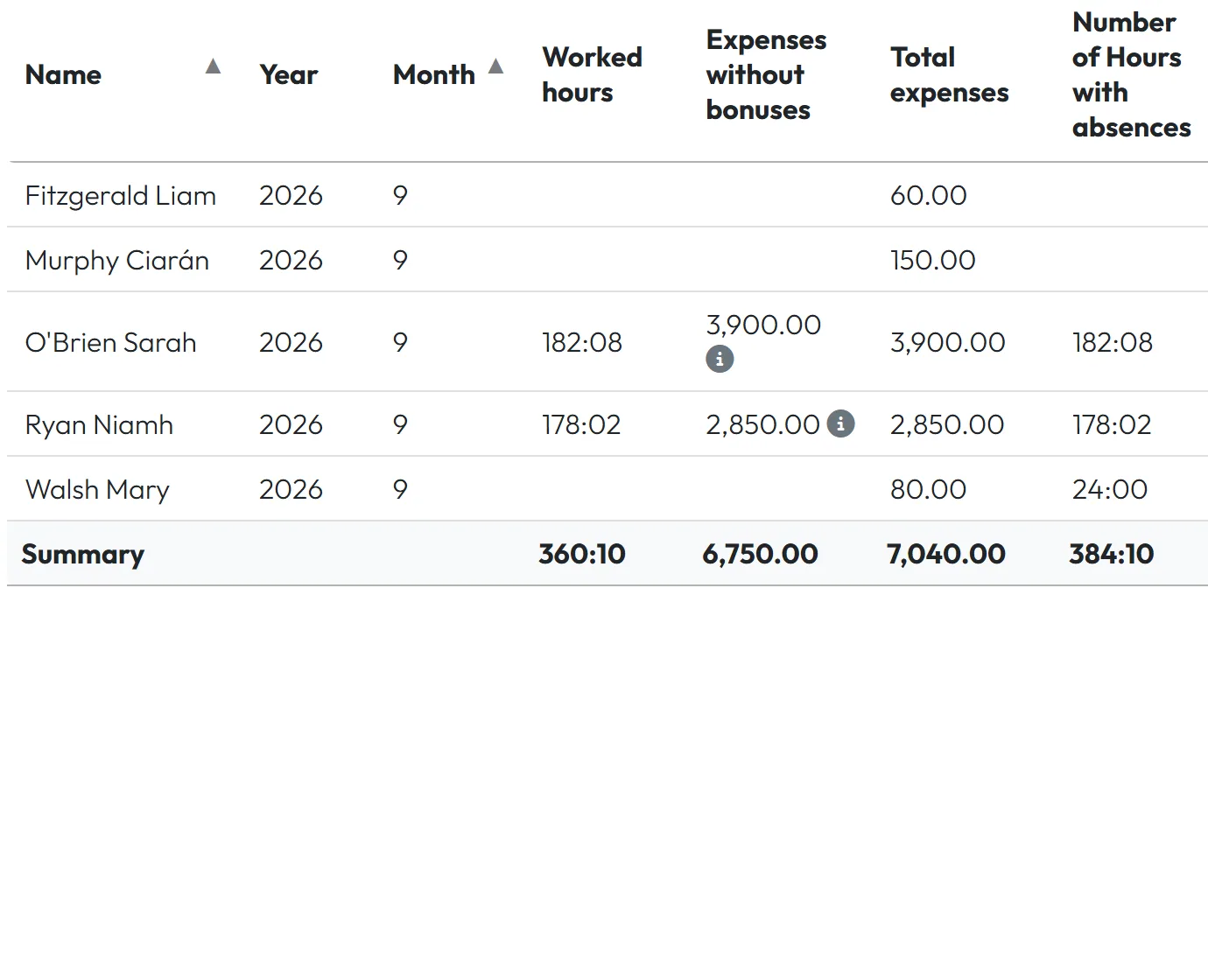
In Table Reports › Months the column Expenses without bonuses shows wages per employee and month, and Total expenses adds the bonuses. Costs per branch are in Per branch (Type = Expenses without bonuses) – see Branch reports; costs per project in the project report.
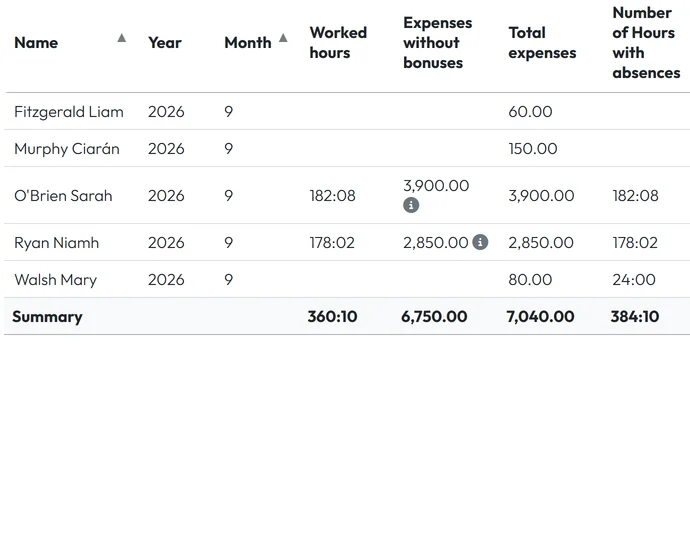
Labour costs in the report -
Optional: show the monthly amount in the app.
In My Company › Company Details › Mobile App Settings, switch on Show monthly salary in mobile app. It is off by default and can be set differently for one employee. Employees then see Monthly Salary under Reports in the app – only their own. See Reports in the mobile app.
#More pay settings
- Extra pay per hourWeekend, holiday, night, overtime and site premiums are rate surcharges on top of the hourly rate.
- One-off and rule-based amountsPerformance bonuses, deductions and automatic bonus rules are described in Bonuses.
#Special cases and tips
- Reports show no costs
- No pay record covers those days. Check the dates of the employee’s records; a rate counts only from its Valid from date.
- Last month should use the new rate
- Back-date the new record’s Valid from and shorten the old one so they don’t overlap. Reports recalculate.
- Surcharges are missing for a salaried employee
- That is intended: surcharges don’t apply while a fixed monthly salary is active.
- Who can see and change pay
- Changing salaries needs edit rights on Employees. Costs appear to everyone who can open the reports.
#Frequently asked questions
Is the amount in reports net or gross?
It is hours × rate, or the fixed salary – a gross labour cost. FreshQR doesn’t calculate tax or deductions.
Can I change a rate from the middle of a month?
Yes. Each day uses the rate valid on that day.
Can employees see their colleagues’ pay?
No. With the mobile setting on, each employee sees only their own amount.
Are bonuses part of Expenses without bonuses?
No. They are added in Total expenses.
#Related
You are hereSalary: hourly rate and fixed monthly salary
Web app (administrator)Mobile app (employee)