Attendance tracking for multiple locations: branches or projects?
On this page
Quick answer
For attendance tracking for multiple locations, FreshQR has branches, projects or both. A branch is a fixed workplace – an office, café or plant – with two QR codes, Clock in and Clock out. A project is a job or client site with one QR code. A branch says where someone works; a project says on what.
#What it's good for
- Your reports make sense from day one, because hours are recorded where they belong.
- Branches and projects are both available straight away. There is nothing to switch on or order.
- You can combine them: attendance at a branch, and time on client jobs alongside it.
- Employees can move between several branches and several projects in one day. They just scan the right code.
#Who it's for
A good fit for
- Branches: cafés, restaurants, shops, factories, warehouses, offices – anywhere the workplace is fixed and people come in every day.
- Projects: building sites, installations, call-outs at a customer’s premises, cleaning of client buildings – anywhere the place of work changes and you want to know the time spent on each job.
- Both: companies with an office, yard or depot plus jobs out in the field.
Not the right fit for
- Projects are not a substitute for departments or teams. For those, use job positions or the organigram.
- A branch doesn’t suit a short job. Every branch means another pair of QR codes on a wall.
#Branches and projects compared
| Branch | Project | |
|---|---|---|
| What it is | a fixed workplace: office, café, plant, depot | a job, client site or building site |
| Where you manage it | My Company › Branches; codes under Attendance (QR Codes) | Projects (QR Codes) |
| QR codes | two: Clock in and Clock out | one code for clocking in and out |
| How scanning works | Clock in opens a record, Clock out closes it | the first scan starts work on the project, the next scan of the same code ends it |
| Does an employee belong to it? | yes, every employee has an assigned branch | no, anyone in the company can scan a project code |
| Default supervisor for new starters | yes, set on the branch | no |
| Work schedule | can be assigned to a branch | can be assigned to a project |
| GPS distance of a scan | from the branch’s map point | from the project’s map point, if you set one |
| Record Type in Scan Details | Attendance | Project: project name |
| Reports | Per branch, Branches detail, Branches/Projects Overview and Comparison | project report in Projects (QR Codes), Project detail, Branches/Projects Overview and Comparison |
| Manager role | Branch Manager | Project Manager |
#Examples by industry
Cafés, restaurants and hotels: branches
A café group in Galway runs two cafés, one on Quay Street and one in Salthill. Each is a branch with its own Clock in and Clock out codes by the staff entrance. A barista who works the morning on Quay Street and the evening in Salthill scans Clock out at the first and Clock in at the second – her report then shows two records at two branches. Projects are rarely needed here. If the group caters a wedding, it can create the wedding as a project and see how many hours staff spent on it. More on hospitality on the hospitality attendance page.
Manufacturing: branches
The plant and the warehouse are two branches. People scan at the gatehouse or by the changing rooms. Add projects only if you want to track time on particular orders, for example a production run for one customer. See also attendance in manufacturing.
Construction: projects, often alongside a branch
Every building site is a project with one QR code, printed on the site board by the gate. A bricklayer scans it in the morning and again when he leaves. When the job is finished, the project is closed and the code comes down. The office or the yard stays a branch – that’s where people who don’t go out to sites scan. See construction attendance.
Cleaning and facility services: projects for client buildings
Brightway Facility Services in Dublin has two branches: its Head office in Fitzwilliam Place and an Equipment depot in Ballymount. Every client building is a project – Grand Canal Dock – Block B offices, St. Brigid’s Primary School, Malahide Medical Centre. A cleaner scans the building’s code on arrival and again on leaving, and Brightway sees how many hours were worked at each client. If a company has staff permanently based at one large building, it can run that building as a branch instead.
Offices: branches
An office is one branch; offices in several towns are several branches. Projects help if you bill clients for hours. See office attendance.
#How to set it up
-
List the places where people work.
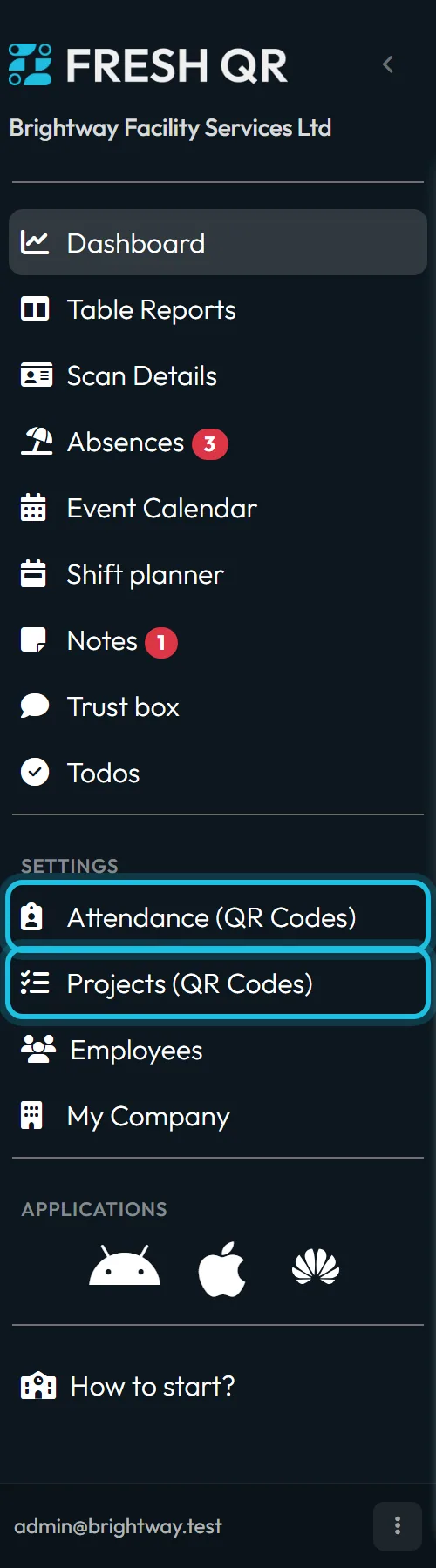
For each place, ask: do people come here every day, and will it still be here in a year? If so, it’s a branch. If it’s a job with a start and an end, it’s a project. The left menu has an item for each: Attendance (QR Codes) for branches and Projects (QR Codes) for projects.
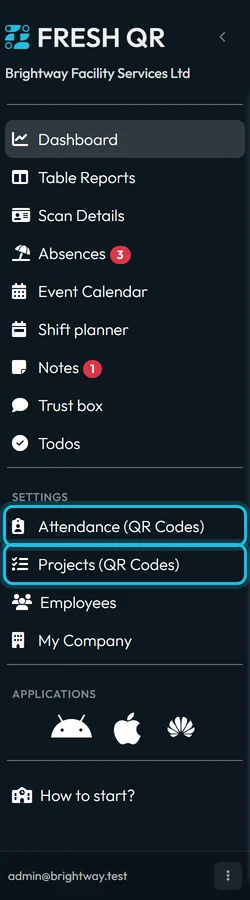
Branches and projects each have their own menu item -
Create your branches.
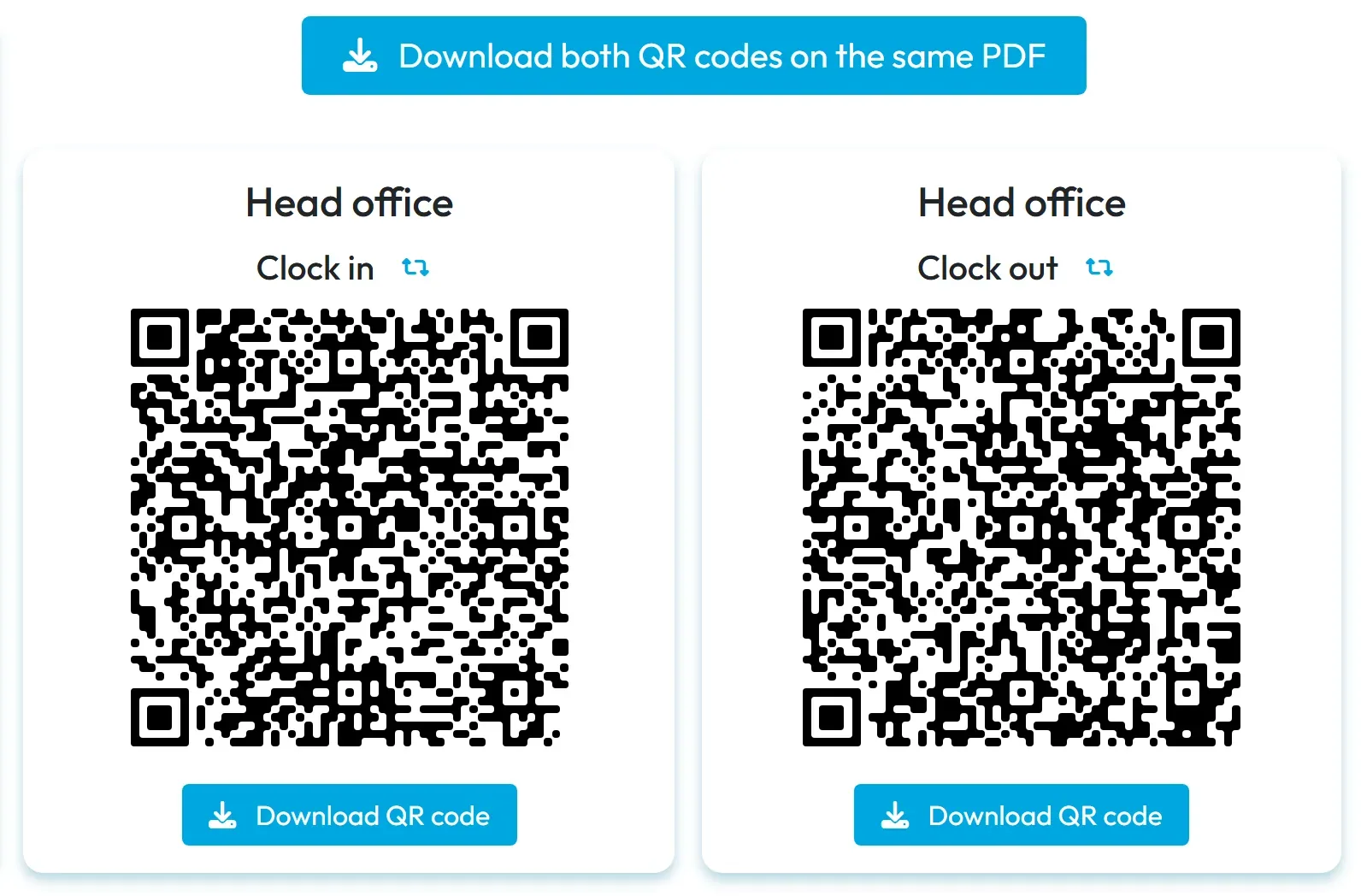
Your first branch was created at sign-up. Add more in My Company › Branches. Each gets its own Clock in and Clock out codes, which you’ll find under Attendance (QR Codes). The steps are in Branches and Clock-in and clock-out QR codes.
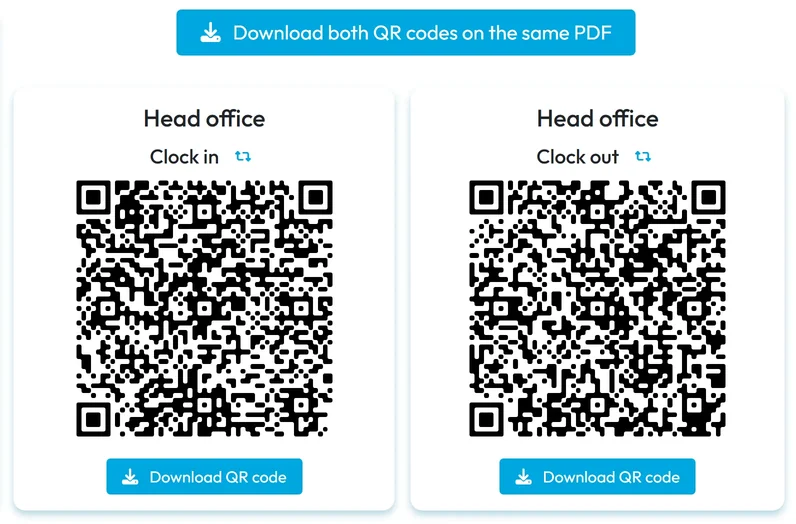
A branch has two QR codes -
Create your projects.
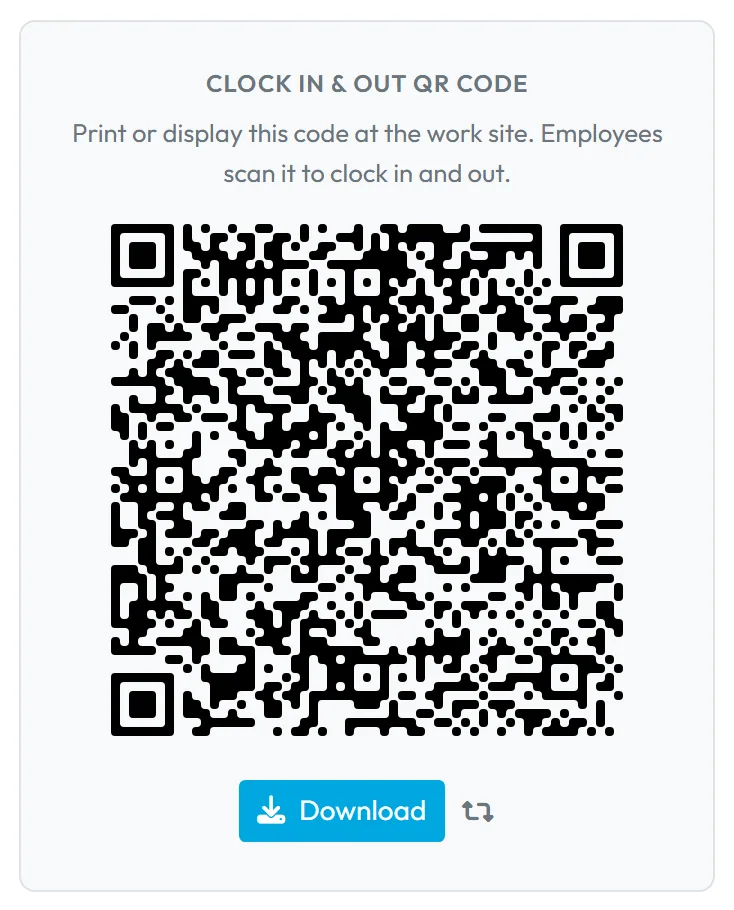
In the left menu open Projects (QR Codes) and add your jobs or client sites. Each project has one Clock In & Out QR Code in its detail. If you want the distance of each scan measured, give the project a location. See Projects and project QR codes.
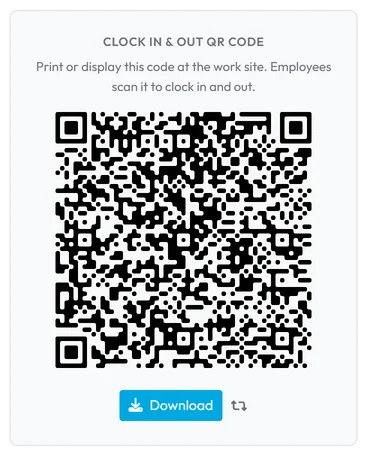
A project has one QR code -
Print the codes and explain them to the team.
Branch codes go by the entrance, project codes at the job site. Tell your staff which code to scan when. What scanning a project looks like on the phone is in Projects – start, finish and several at once.
-
After a few days, check the records.
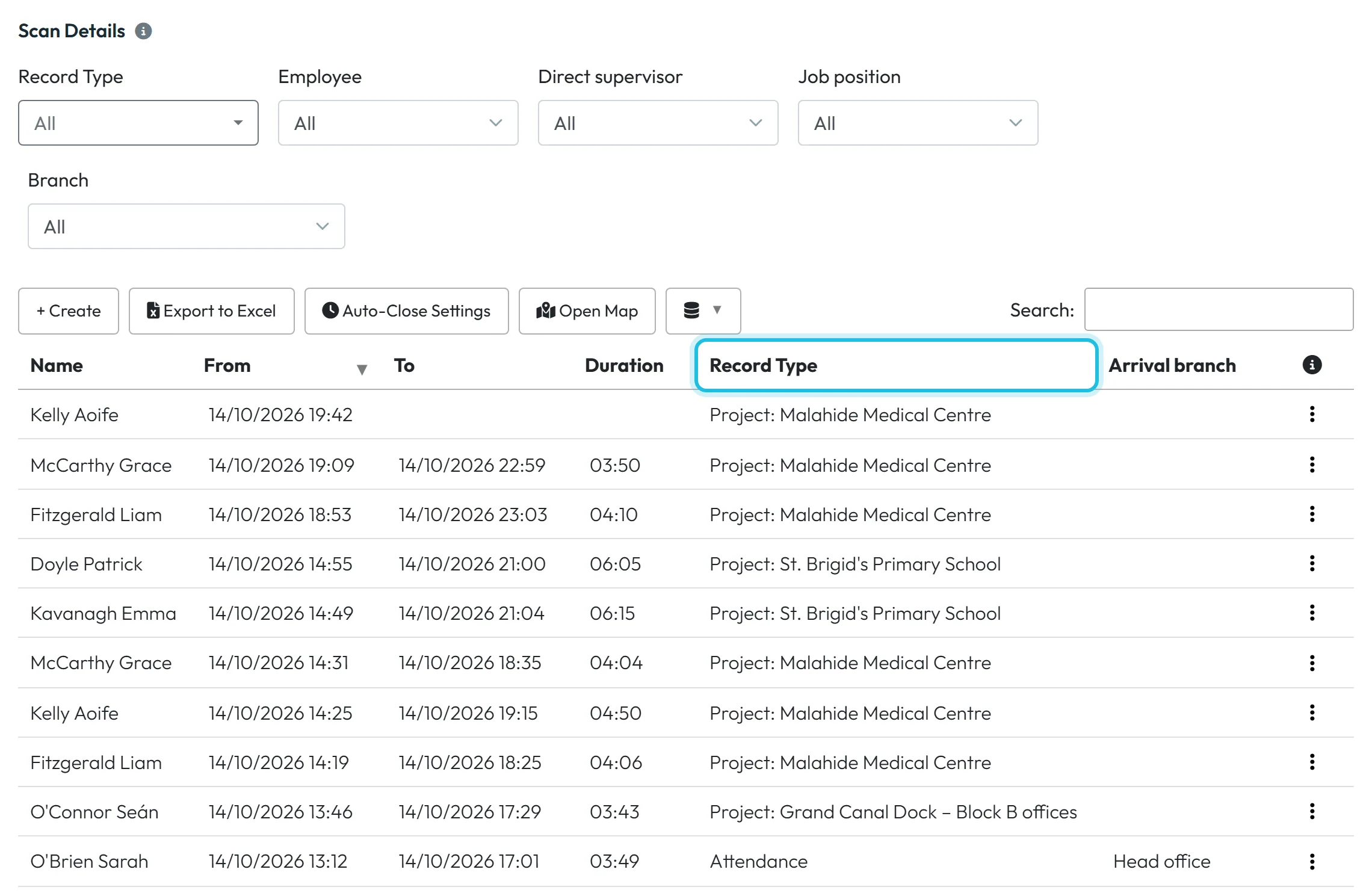
In Scan Details, filter by Record Type. Branch records have the type Attendance, project records the type Project with the project name. If something is wrong, you can fix it – see Scan details – reviewing and editing attendance.
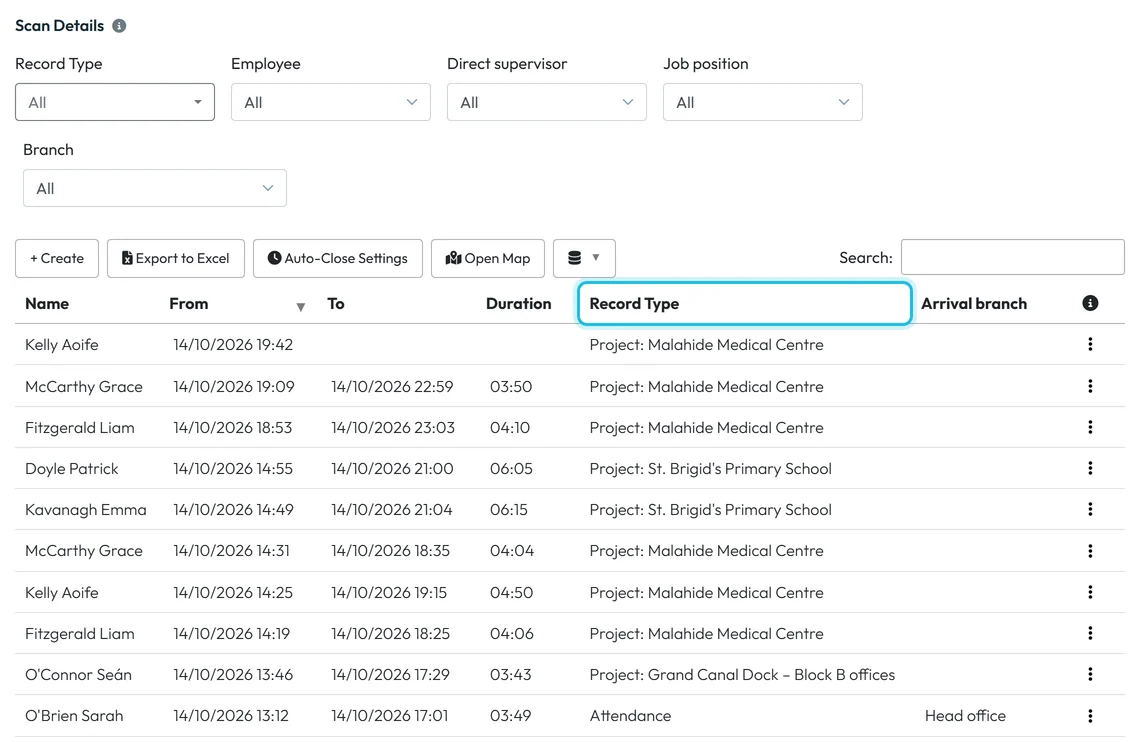
One list shows both branch and project attendance
#Several branches and projects in one day
An employee isn’t tied to one place. During a day they can work at several branches and on several projects:
- Several branches in a day. They scan Clock out at the first branch and Clock in at the second. That gives two records, each with its own branch. If they scan Clock out at a different branch from where they clocked in, the record still closes, and Scan Details highlights the two branches in orange. If you don’t want to allow that, switch on Block attendance closing on different branch in Mobile App Settings.
- A branch and a project at the same time. Projects run independently of branch attendance. Seán O’Connor, a window cleaner at Brightway, clocks in at the Equipment depot in the morning, loads the van, and then starts and finishes the Grand Canal Dock project on site.
- Several projects one after another, or at once. This depends on Allow multiple projects in parallel in My Company › Company Details › General Settings. When it’s on, several projects can run at once and each ends with its own code. When it’s off, employees work on one project at a time, so they end one before starting the next. Details are in Projects and project QR codes.
If people move between branches for good, look at the Automatic branch assignment setting described in Branches.
#More options
- Managers only for their own placesGive the manager of a site the role Branch Manager, and a site supervisor the role Project Manager. Each then sees only their own branches or projects. See User accounts and roles and Project Manager role.
- Compare places in the reportsTable Reports can put branches or projects side by side, for example hours per client building per month. See Branches detail, Overview and Comparison and Project report.
#Special cases and tips
- You chose wrongly
- Nothing is lost. You can add branches and projects at any time. Set the new place up correctly and stop using the old one; the old records stay in the reports.
- One place as both a branch and a project
- It works, but it confuses people – they don’t know which code to scan. Pick one approach per place.
- A project without a code on the wall
- The project code can also be printed and kept by the crew leader or in the van. What matters is that each employee scans it with their own phone.
- Clock out at the wrong branch
- Someone clocked in at the Head office and out at the depot? The record is closed and marked in orange in Scan Details. Correct it there if needed.
#Frequently asked questions
Can I use branches and projects together?
Yes. Both are available from sign-up and can be combined.
Can an employee scan a project without clocking in at a branch?
Yes. Projects are independent of branch attendance.
Can an employee work at two branches on the same day?
Yes. They scan Clock out at the first and Clock in at the second, and the report shows two records.
Can an employee have two projects open at once?
Only when Allow multiple projects in parallel is switched on. Otherwise they end one project before starting the next.
Do I need a separate app for projects?
No. Employees use the same Fresh QR app for branch and project codes.
#Related
You are hereBranches or projects – which to choose
Web app (administrator)Mobile app (employee)